Getting started
This page installs the build prerequisites and runs an example Trustworthiness Checker (TC) monitor. The example introduces the basic shape of a DSRV program, reads four input values, prints a running total, and exits. It requires no broker, ROS installation, or optional Cargo feature.
Linux or Unix
The TC requires Rust 1.95 and a native C/C++ build toolchain. Install Git, curl, and the build tools with your platform package manager. For example, on Ubuntu or Debian:
sudo apt-get update
sudo apt-get install build-essential curl git
On Fedora:
sudo dnf install gcc gcc-c++ curl git
Install Rust with rustup
Download the official rustup installer, inspect it, and install the minimal Rust 1.95 toolchain:
curl --proto '=https' --tlsv1.2 -sSf https://sh.rustup.rs \
  --output /tmp/rustup-init.sh
less /tmp/rustup-init.sh
sh /tmp/rustup-init.sh -y --profile minimal --default-toolchain 1.95
rm /tmp/rustup-init.sh
. "$HOME/.cargo/env"
rustc --version
cargo --version
The download comes from the official rustup service and requires network access. rustc --version must report Rust 1.95 or newer. The repository declares Rust 1.95 as its minimum supported Rust version.
Get the source
Clone the repository and enter its root directory:
git clone https://github.com/INTO-CPS-Association/robosapiens-trustworthiness-checker.git
cd robosapiens-trustworthiness-checker
If you already have a checkout, run the remaining commands from its repository root.
Run a running-total example
The first DSRV example has one input, x, and one output, z:
in x: Int
out z: Int
z = default(z[1], 0) + x
in x declares the value supplied to the monitor. out z declares the result it exposes. The equation adds the current x to the previous value of z; default(..., 0) starts the total at zero when there is no previous value.
The repository stores this program as examples/counter.dsrv and supplies four input values in examples/counter.input. Run that example from the repository root:
cargo run --quiet -- examples/counter.dsrv \
  --input-file examples/counter.input \
  --output-stdout
Cargo builds the TC on the first run. The example evaluates the four inputs and writes this exact result to stdout:
z[0] = 1
z[1] = 2
z[2] = 3
z[3] = 4
The process exits after the fourth input. The output index is zero-based, so z[0] is the first result. DSRV calls each input position a logical tick; z[1] reads z from the preceding tick.
Windows paths
For a native Windows build, install rustup and the MSVC C++ prerequisites, then run the compact PowerShell example in Extended Windows usage. That page also covers Docker Desktop transports and testing a cross-compiled Windows executable with Wine on Linux.
Under WSL, use the Linux instructions on this page inside the WSL distribution. Install Rust and build tools inside WSL rather than reusing a Windows Rust installation. See Windows Subsystem for Linux for filesystem and Docker Desktop considerations.
Editor Support
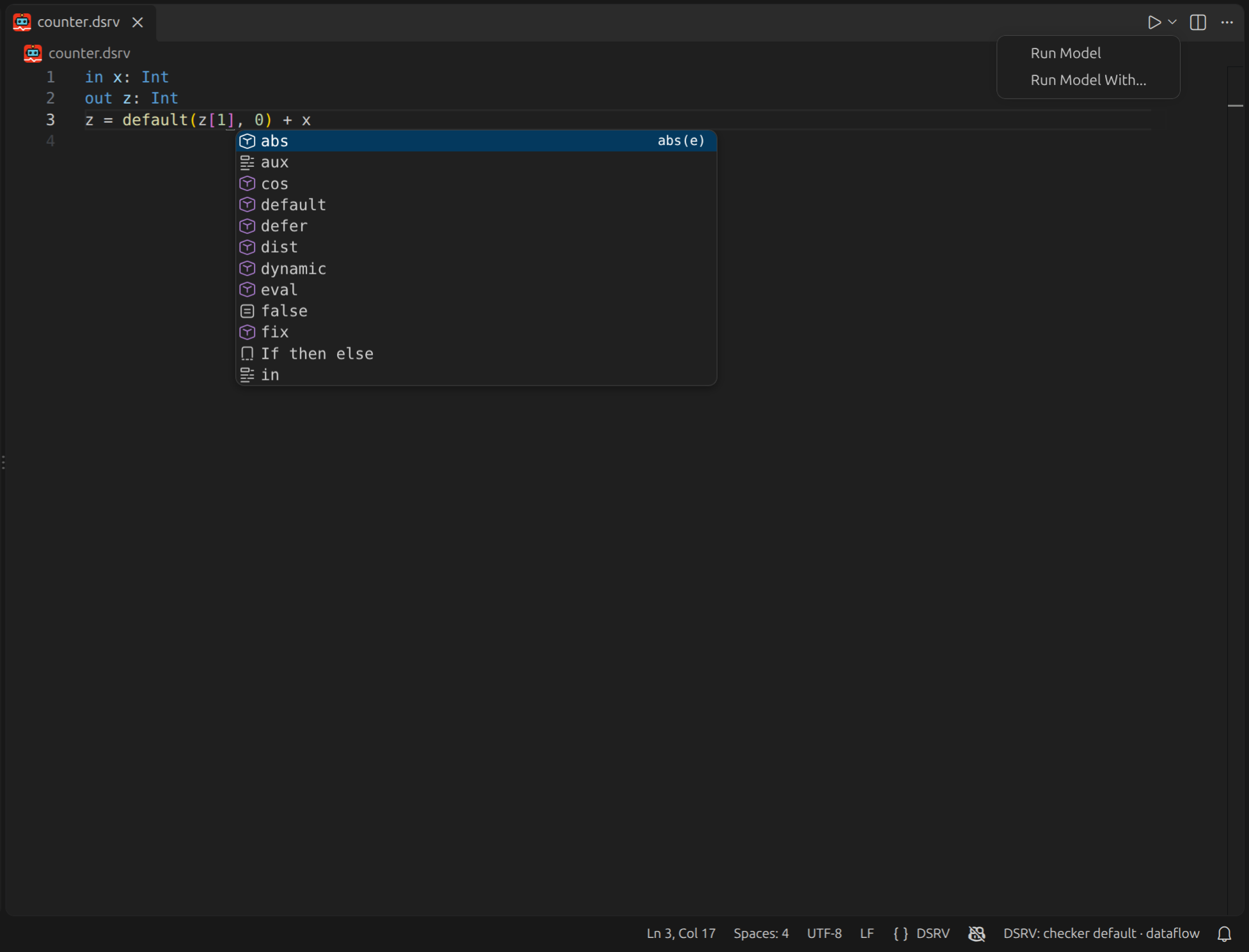
A Visual Studio Code extension provides syntax highlighting, completion, and inline diagnostics for .dsrv files, and runs a model from the editor without switching to a shell. It ships with its own copy of the checker and of the language server, so none of the build steps above are needed to use it.
The language features come from the DSRV language server, which reuses this repository's parser and type checker, so the errors shown while editing are the ones the checker reports, with the caveat described under Editor support.
See Editor Support for what it provides and how to point it at your own build instead of the bundled one.
Continue from the first run
- Write and run DSRV models explains declarations, equations, timestamped traces, history,
defer, anddynamic. - Monitor timed signals with MSTLO runs a timestamped Signal Temporal Logic property.
- Capabilities maps live inputs, outputs, reconfiguration, distributed monitoring, and integrations to focused pages.
- General usage gives the shortest command shape for each input route.
- Editor support provides an overview of the DSRV VS Code extension.