Command Line Interface
When running the program, run it as a model from outside the source codes directory.
That is, if the source code directory plant_controller is located at some location <PATH_TO_MODULE>, run
The program has two subcommands. One for running the controller called run and one used for running utility functions during setup and installation called setup.
setup subcommand
To run utility functions like pump calibration and setting sensor addresses, run
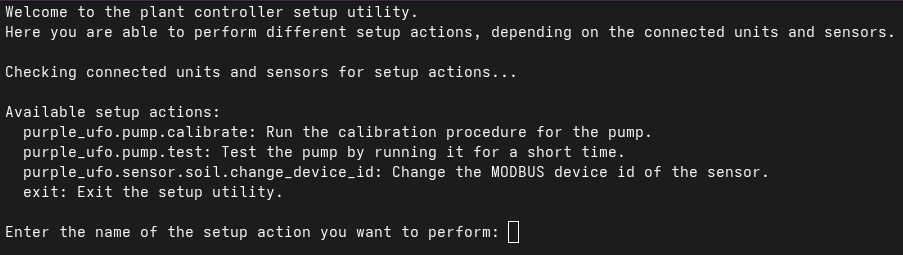
This will read all configs, connect to the database, but NOT start the web API or sensing and actuation loops. Then it will show a menu of command options, dependent on the connected plants and their sensors. Subcommands for sensors and actuators connected to a specific plant will be prefixed with that plants name. This can be seen below, where the plant_controller is configured with a single plant named "purple_ufo".
run subcommand
TO run the controller proper, starting sensing, actuation and web API, run
This starts the controller (sensing, actuation, data storage), outputting all logs to the terminal, and launching the web API on port 8099 of the Raspberry Pi.