Install


This guide installs DTaaS on localhost over HTTP with a single user workspace.
Download dtaas-localhost-xx.zip from the release / pre-release page.
For the configuration reference, see config.md.
Design
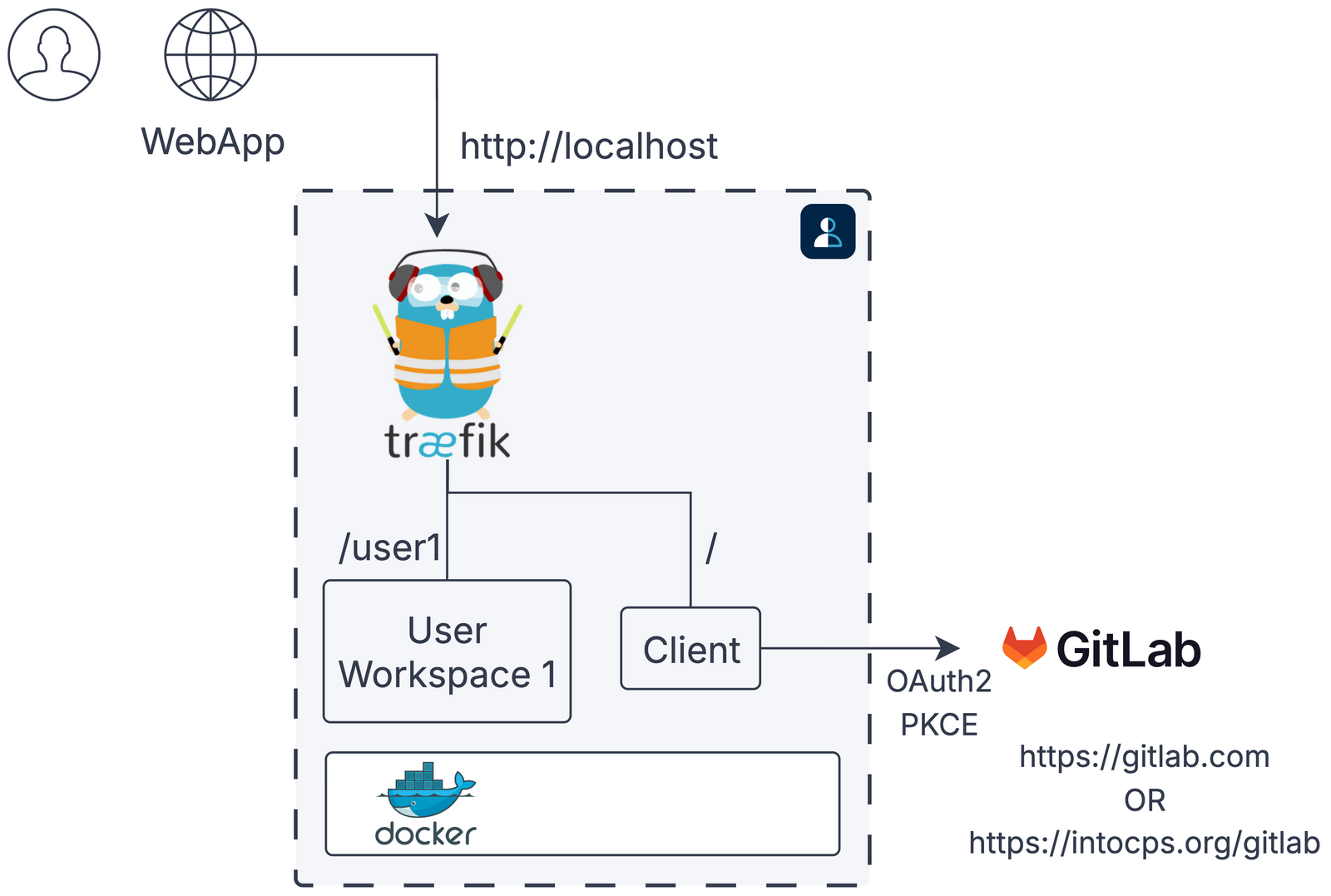
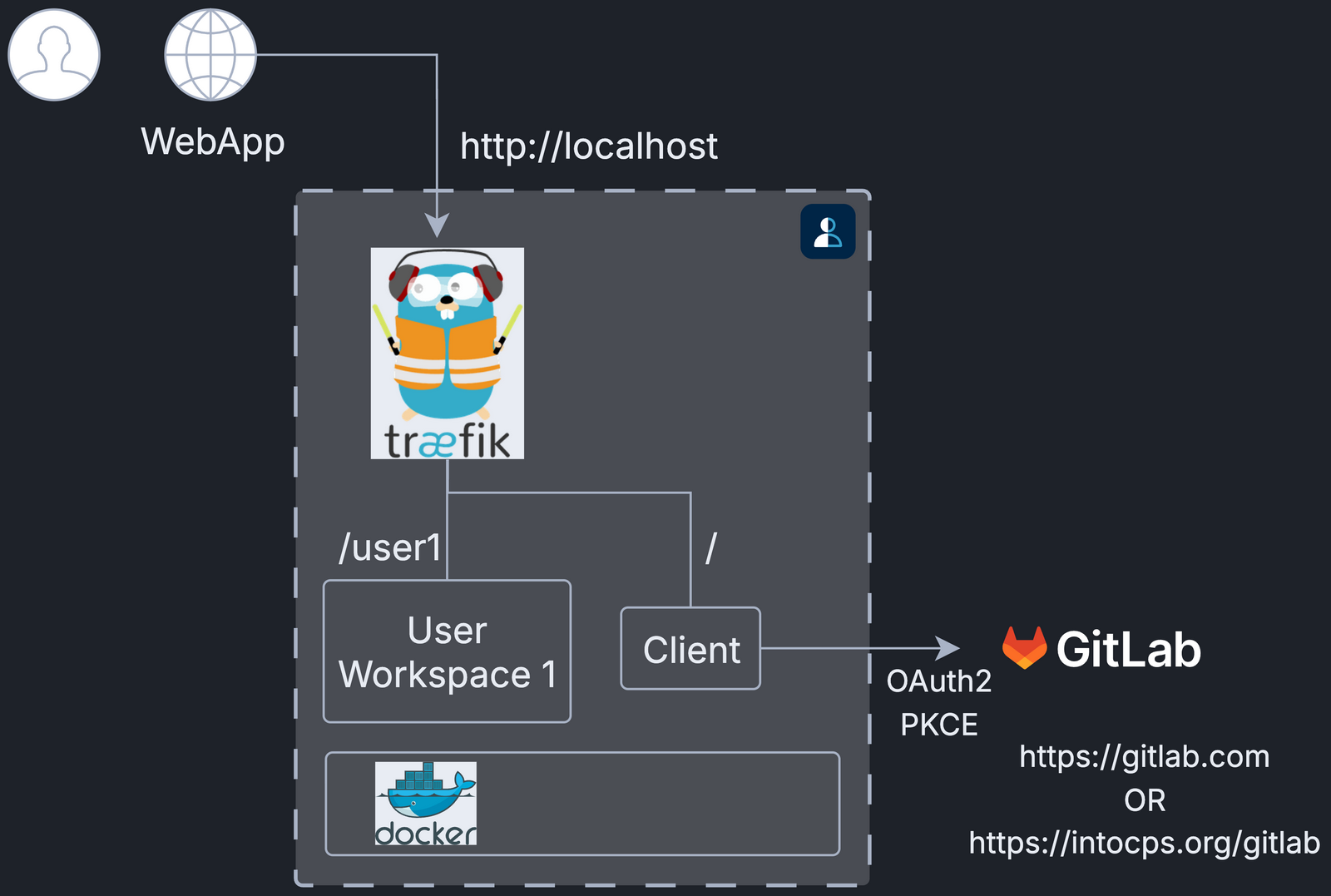
The diagram shows the Docker containers in this package.
Requirements
- Docker Engine with the Compose plugin
- A GitLab account for OAuth sign-in
Quick Start
1. Create Configuration Files
2. Create User Workspace Directory
Set DEFAULT_USER in config/.env, then create a matching workspace:
The logger microservice writes its events to logs/logger. Create the
directory and give it to uid 1000, the user that runs the logger:
3. Start Services
4. Open DTaaS
Sign in with the OAuth provider configured in config/client.js
(the default authority is https://gitlab.com/).
Run
Start and stop the application with:
Notes
- This package does not include
libmsor backend forward-auth. - For secure production deployments, see
deploy/dtaas/docker/secure-server_with_integrated-gitlab.
Documentation
See https://into-cps-association.github.io/DTaaS/development/index.html for the complete documentation.
References
Image sources: Traefik logo, gitlab