GitLab Server
DTaaS supports two ways of installing a local GitLab instance.
Option A: Integrated DTaaS Package
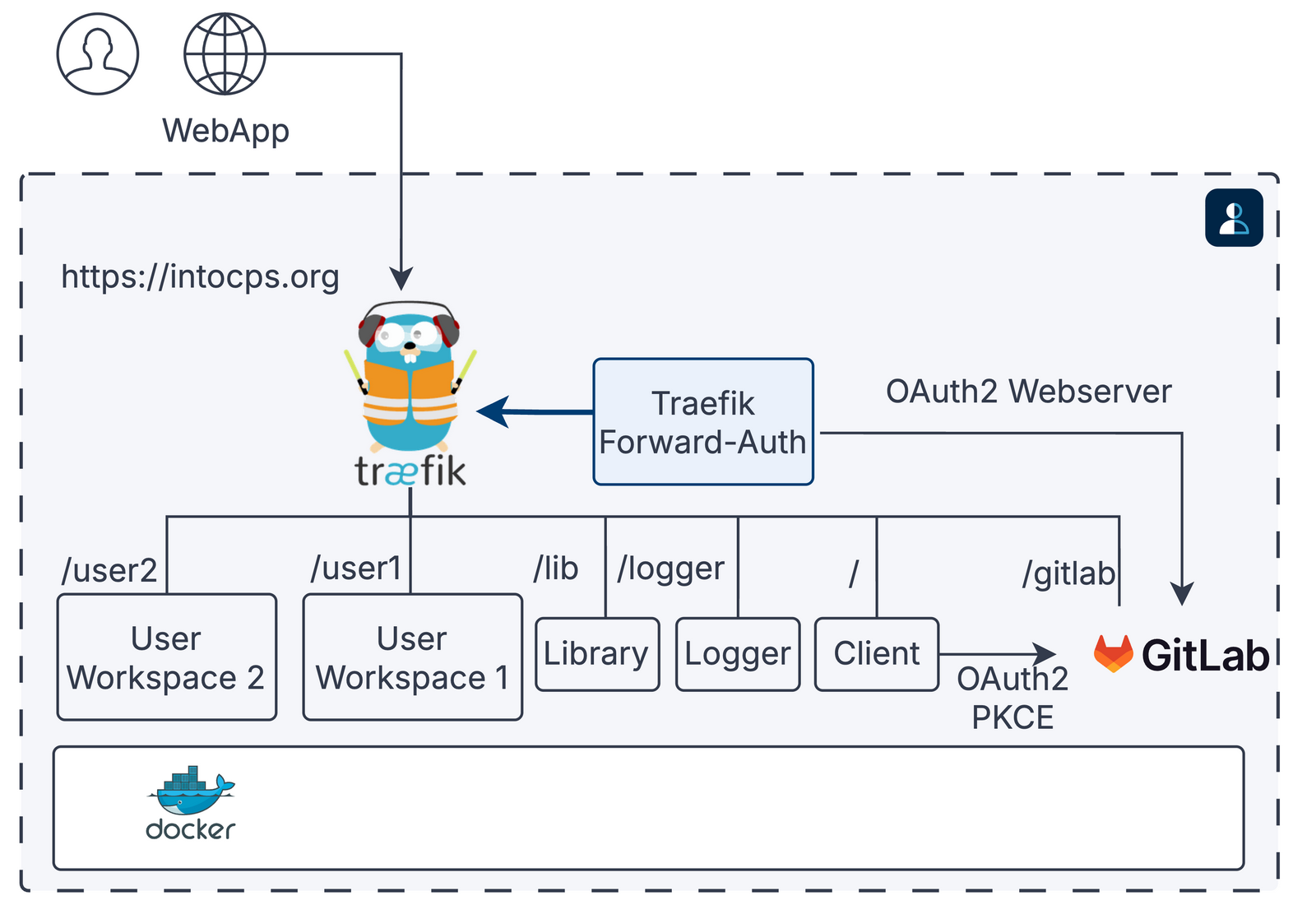
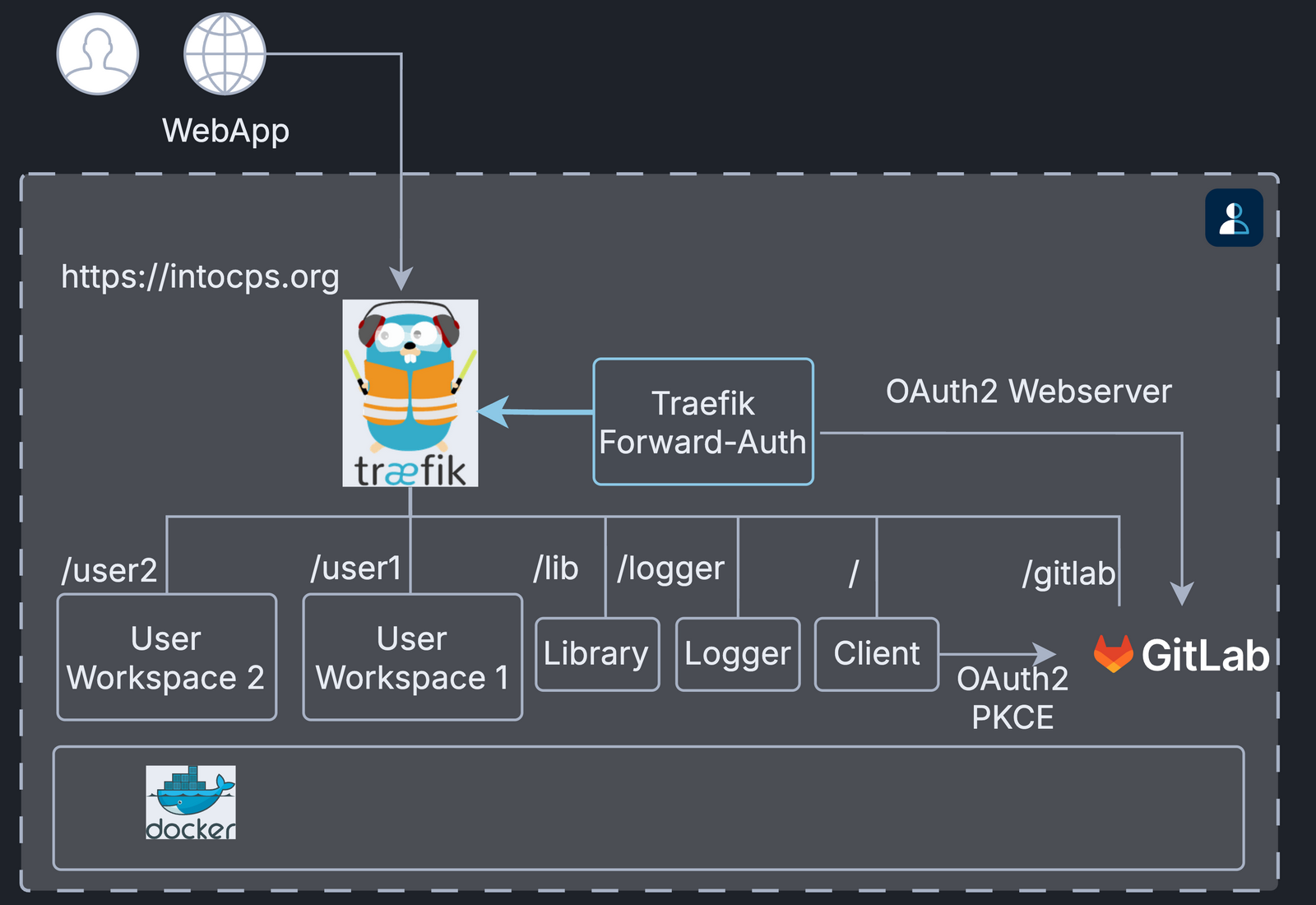
A path such as /user1 is the URL route of that service, for example
https://intocps.org/user1.
The thick arrow is the forward-auth check: Traefik asks
traefik-forward-auth to authorise each request before it routes it.
See secure server with GitLab, then continue with the integration guide.
Option B: Services CLI GitLab Workflow
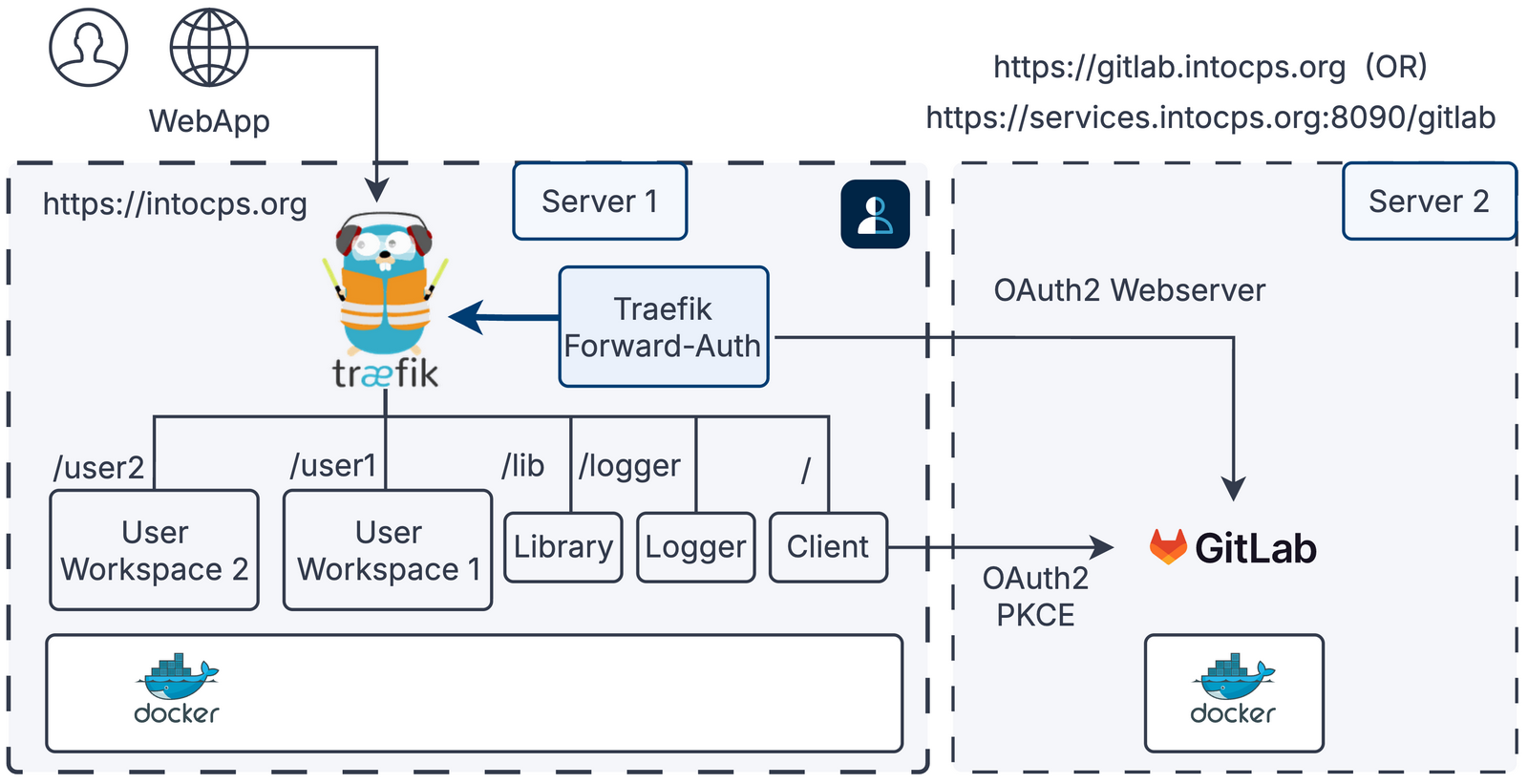
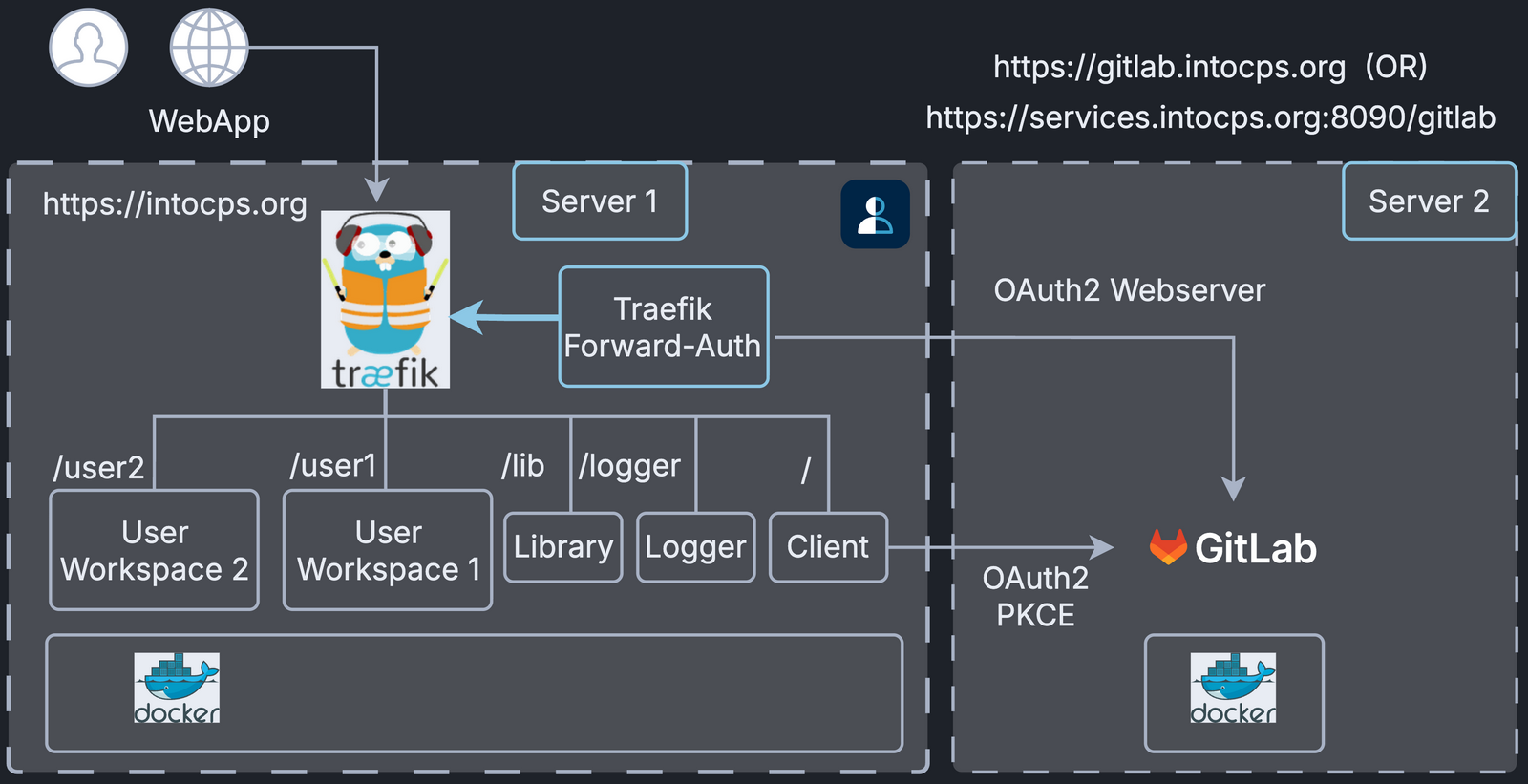
Server 1 runs DTaaS and server 2 runs GitLab. The routes and the thick arrow mean the same as in Option A.
Use the services CLI if GitLab runs as one of the platform services, then continue with the integration guide.
Notes
- The DTaaS client auth authority must match the actual GitLab endpoint.
- For integrated package deployments, use the package's own
config/files. - For services CLI deployments, use the files of the generated services project.