Host Library Microservice
The lib microservice is a simplified file manager that serves files over GraphQL and HTTP API.
It has two features:
- Provide a listing of directory contents.
- Transfer a file to the user.
This document provides instructions for running a docker container to provide a standalone library microservice.
Setup the File System
Outside the DTaaS Platform
The package can be used independently of the DTaaS. In this use case,
no specific file structure is required. A valid file directory named
files is sufficient and should be placed in the directory from
which compose.lib.yml will be run.
Inside the DTaaS Platform
The users of DTaaS expect the following file system structure for their reusable assets.
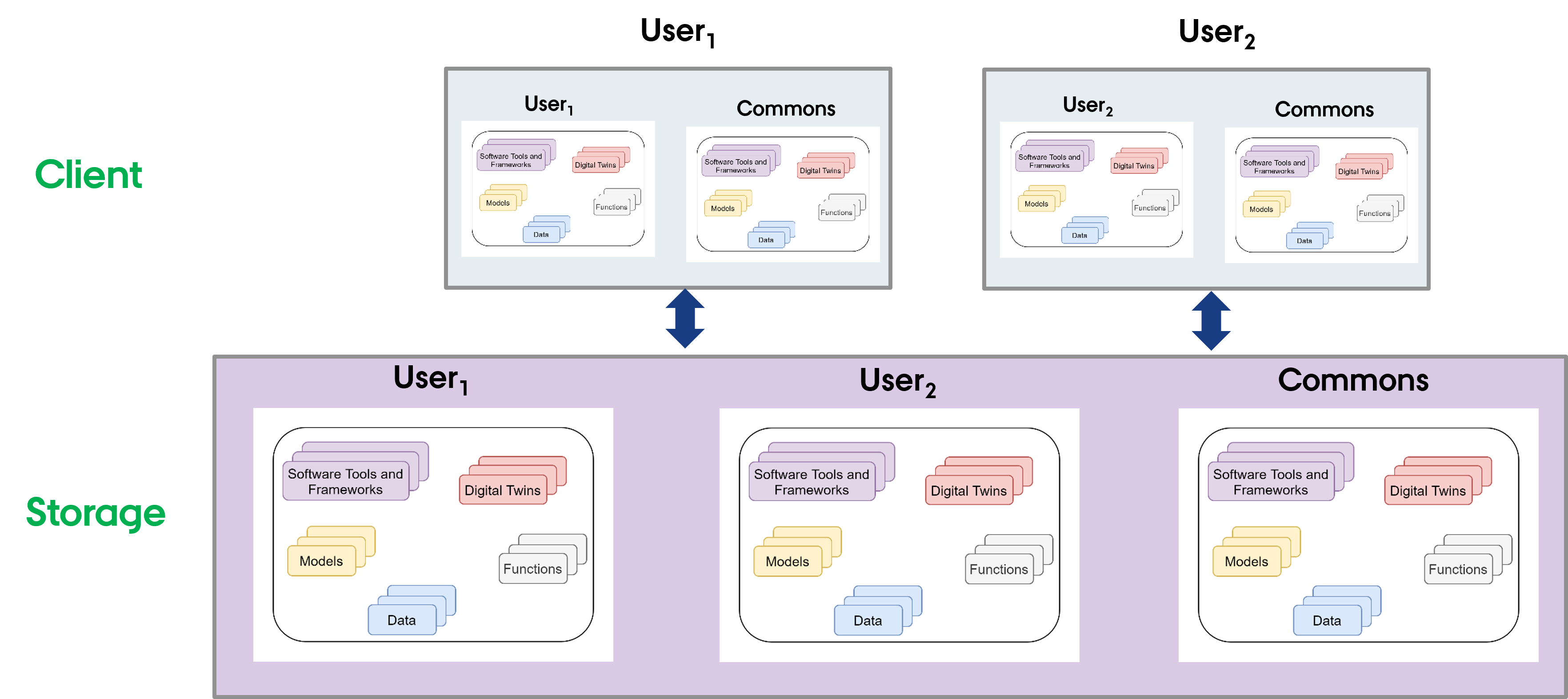
A skeleton file structure is available in the
DTaaS codebase.
This can be copied to create a file system for users. The directory
containing the file structure should be named files
and placed in the directory from which compose.lib.yml will be run.
 Use
Use
Use the docker compose file to start the service.
Service Endpoints
The GraphQL URL: localhost:4001/lib
The HTTP URL: localhost:4001/lib/files
The service API documentation is available on user page.