Host Library Microservice
The lib microservice is a simplified file manager that serves files over GraphQL and HTTP APIs. It lists directory contents, and it uploads and downloads files.
This page explains how to install the npm package of the library microservice and run it as a standalone service.
Setup the File System
Outside the DTaaS Platform
The package can be used independently of the DTaaS. In this case no particular file structure is needed; any directory will do.
Inside the DTaaS Platform
DTaaS users expect the following file system structure for their reusable assets.
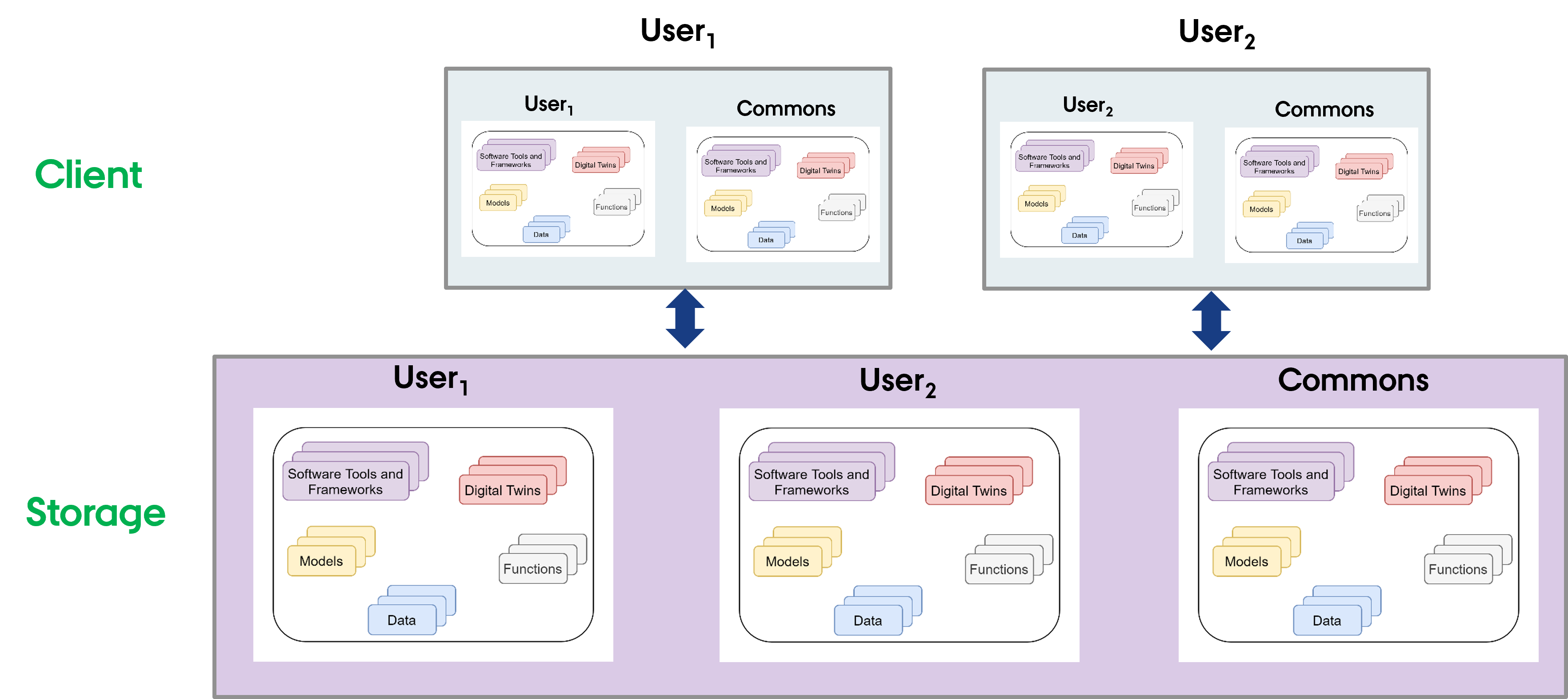
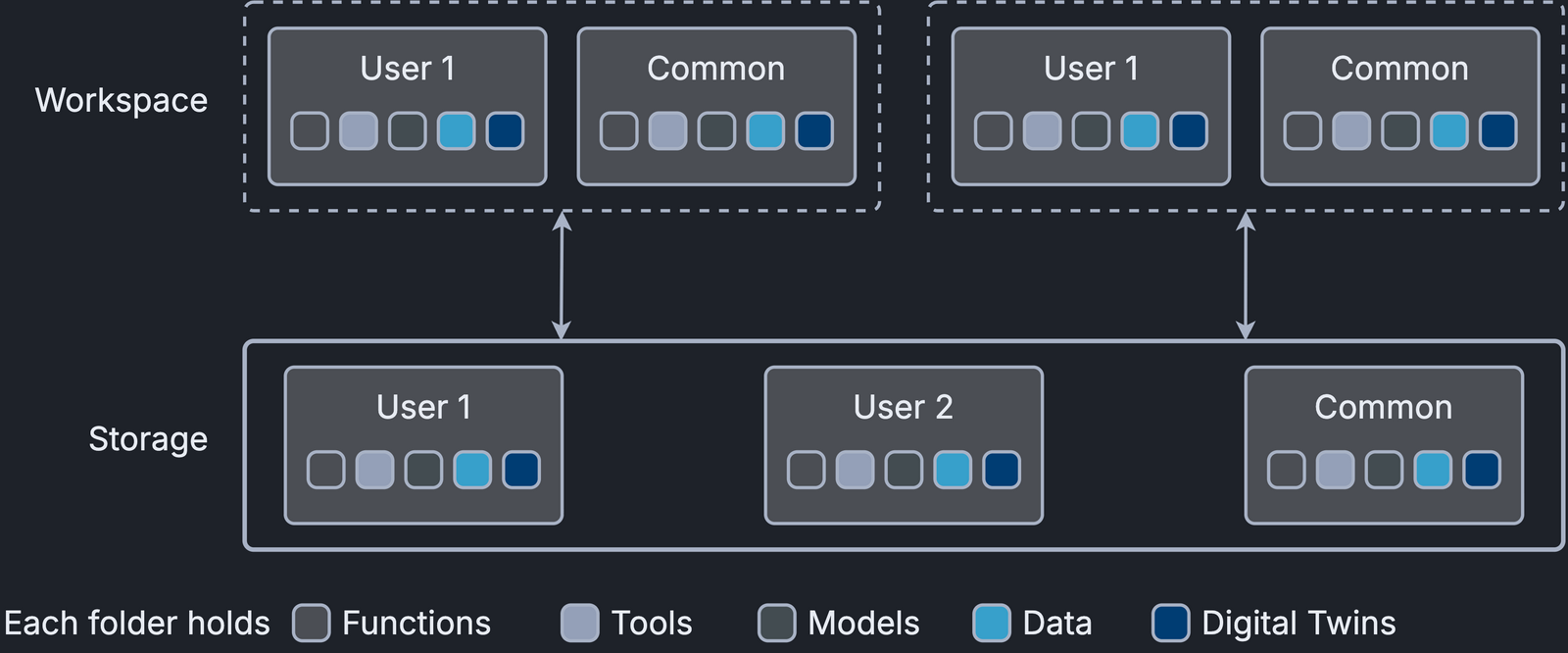
A skeleton file structure is available in the DTaaS codebase. Copy it to create a file system for users.
Install
The npm package is available in GitHub packages registry and on npmjs. Prefer the package on npmjs over GitHub.
Install the package with one of the two following commands.
npmjs
GitHub
The github package registry asks for a username and password. The username is the GitHub username and the password is a GitHub personal access token with the read:packages scope.
Use
Display help.
Neither option is mandatory.
See configuration for the configuration conventions.
By convention the configuration is saved in a libms.yaml file. If
-c is not given, libms looks for libms.yaml in the working
directory from which it is run. To run libms with that default
file, run
To run libms with a custom config file,
If the configuration file has another name, for example
libms-config.yaml, run
Press Ctrl+C to halt the application.
To run the microservice in the background, use
The lib microservice is now running and ready to serve files.
Protocol Support
libms supports the GraphQL protocol by default. It can also serve
files to a browser over HTTP. Enable this with the -H http.json flag;
the sample http config can be used.
The usual file upload and download options then become available.
Service Endpoints
The GraphQL URL: localhost:PORT/lib
The HTTP URL: localhost:PORT/lib/files
The service API documentation is available on user page.