Running Multiple Digital Twins at the Same Time
The DTaaS platform allows for executing multiple Digital Twins in tandem with one another. This can save hours of time when dealing with intensive Digital Twins or when deploying them across different resources.
⏯️ Running Digital Twins
To deploy a Digital Twin, navigate to the Execution tab
on the Digital Twin Preview page. This can be found by clicking on the Workbench
icon  in the sidebar on the left hand side and
locating Digital Twins Preview among the other links. Click to open the Digital
Twin Preview page in a new tab.
in the sidebar on the left hand side and
locating Digital Twins Preview among the other links. Click to open the Digital
Twin Preview page in a new tab.
In the newly opened tab, a series of cards is displayed with a name, short description of the Digital Twins and START and HISTORY buttons. The START button sends a job to the backend, telling it to run the simulation associated with that Digital Twin, which is defined by its Life Cycle files. These can be inspected and changed in the Edit tab.
Running Multiple Twins
Pressing the START button multiple times queues multiple simulations. It is also possible to queue different kinds of Digital Twins.
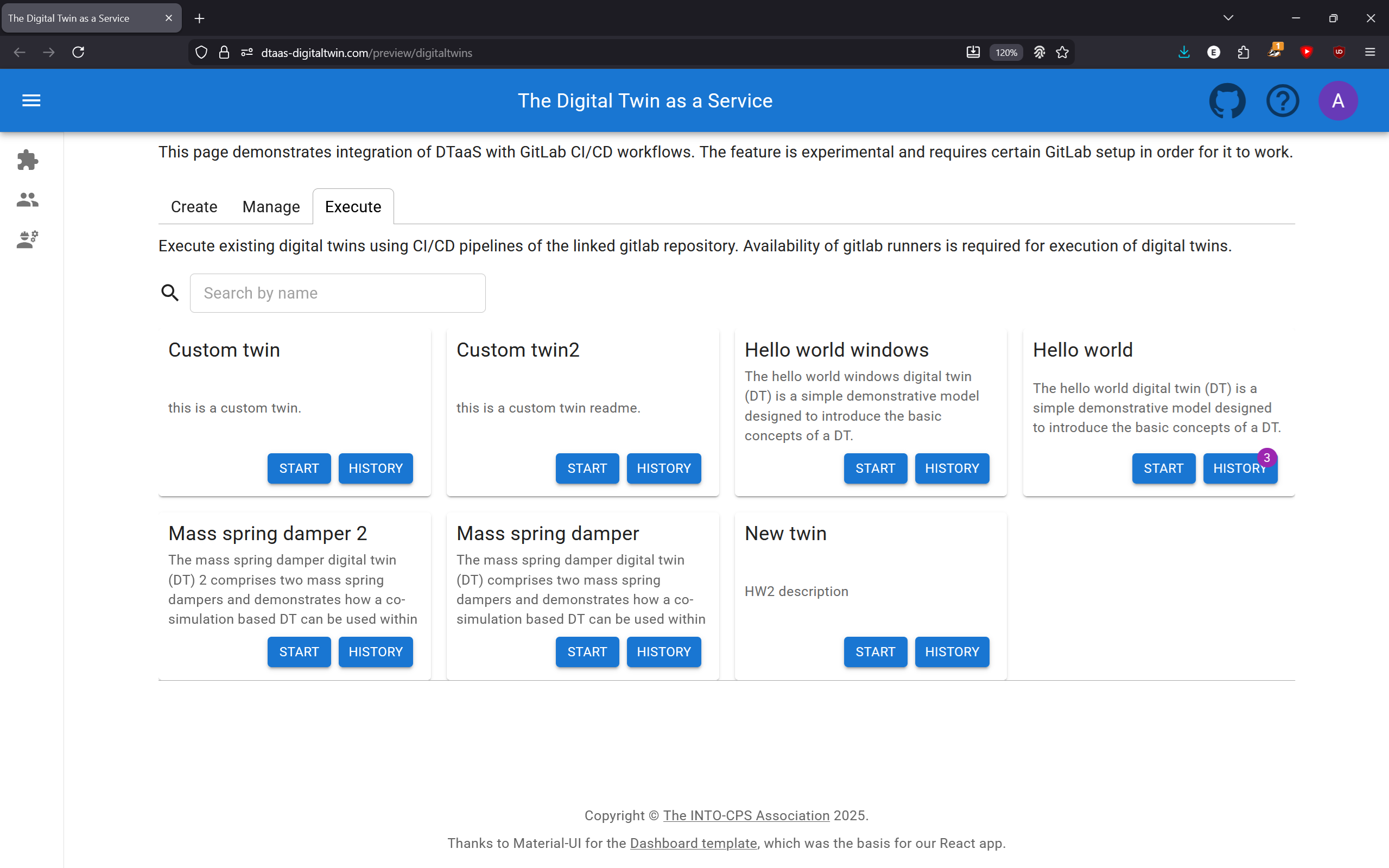
The deployment service (e.g. GitLab) automatically load balances across available runners, so it can be configured once and left to run autonomously.
🗃️ The Execution Log
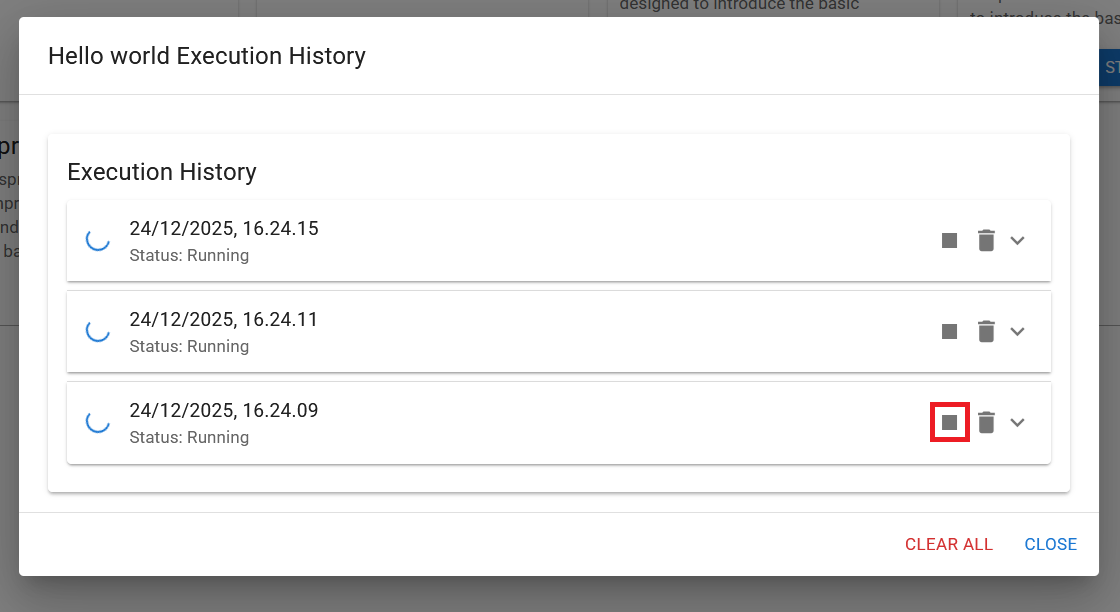
Pushing the HISTORY button provides an overview of all current and past simulation trials, distinguished by time of execution and status (Running, Failed, Succeeded or Timed Out). To review the results of a simulation, click on an entry (or the arrow on the right of the entry) to expand it. Each step in the Life Cycle will then be presented.
To delete an entry, click the trash icon. A verification dialogue will confirm the entry to be deleted. All entries of a Digital Twin can also be deleted with the CLEAR ALL button.
Click the stop symbol in the log to stop an execution:
🔧 Changing Runners
The runners that pick up jobs can be changed in the settings. Further information on these and other settings is available.
💭 Summary
This document has described how to navigate the DevOps Execution page: executing multiple Digital Twins simultaneously and inspecting and deleting their logs.