Install

This README provides a quick-start installation guide for DTaaS on localhost over HTTP with a single user workspace.
Download dtaas-localhost-xx.zip from the release / pre-release page.
For detailed configuration reference, see config.md.
Design
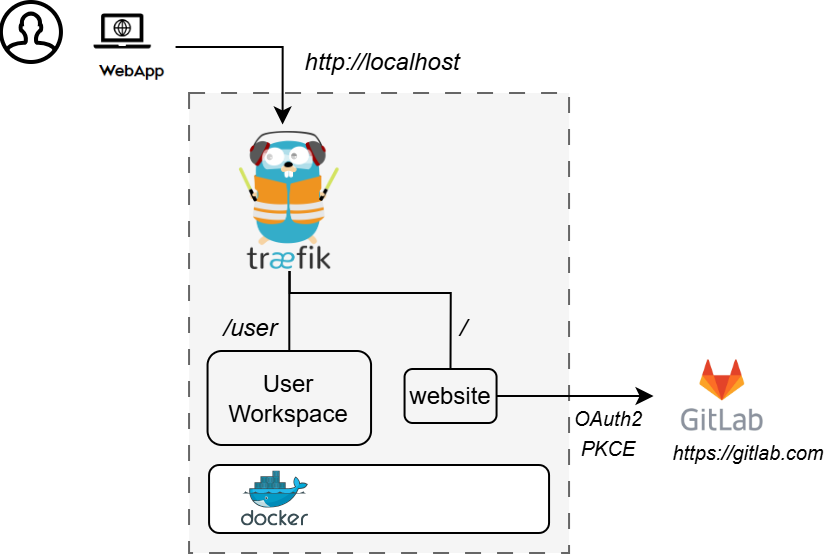
An illustration of the docker containers used in this package is shown here.
Requirements
The installation requirements to run this package are:
- Docker Engine with Compose plugin
- GitLab account for OAuth sign-in
Quick Start
1. Create Configuration Files
2. Create User Workspace Directory
Edit config/.env and set DEFAULT_USER, then create a matching workspace:
3. Start Services
4. Open DTaaS
Sign in using the configured OAuth provider in config/client.js
(default authority is https://gitlab.com/).
Run
The commands to start and stop the application are:
Notes
- This package does not include
libmsor backend forward-auth. - For secure production deployments, see
deploy/dtaas/docker/secure-server_with_integrated-gitlab.
Documentation
See https://into-cps-association.github.io/DTaaS/development/index.html for complete documentation.
References
Image sources: Traefik logo, gitlab