Incubator Digital Twin
Overview
This case study of an incubator shows the steps involved in developing a digital twin system. The incubator is an insulated container that can maintain a temperature by heating, but it cannot cool. A picture of the incubator is shown below.

The system reaches a set temperature inside a box and holds that temperature regardless of the content. An overview of the system is shown below:

The system consists of:
- 1x Styrofoam box as the insulated container
- 1x heat source to heat the content of the Styrofoam box
- 1x fan to distribute the heat within the box
- 2x temperature sensors to monitor the temperature inside the box
- 1x temperature sensor to monitor the temperature outside the box
- 1x controller that actuates the heat source and the fan, reads the temperature sensors, and communicates with the digital twin
The example comes from the original repository. This trimmed version of the codebase leaves out:
- docker support
- tests
- datasets
The original repository has the complete documentation of the example, including the full system architecture and instructions for running with a physical twin or a 3D visualisation of the incubator.
Digital Twin Structure
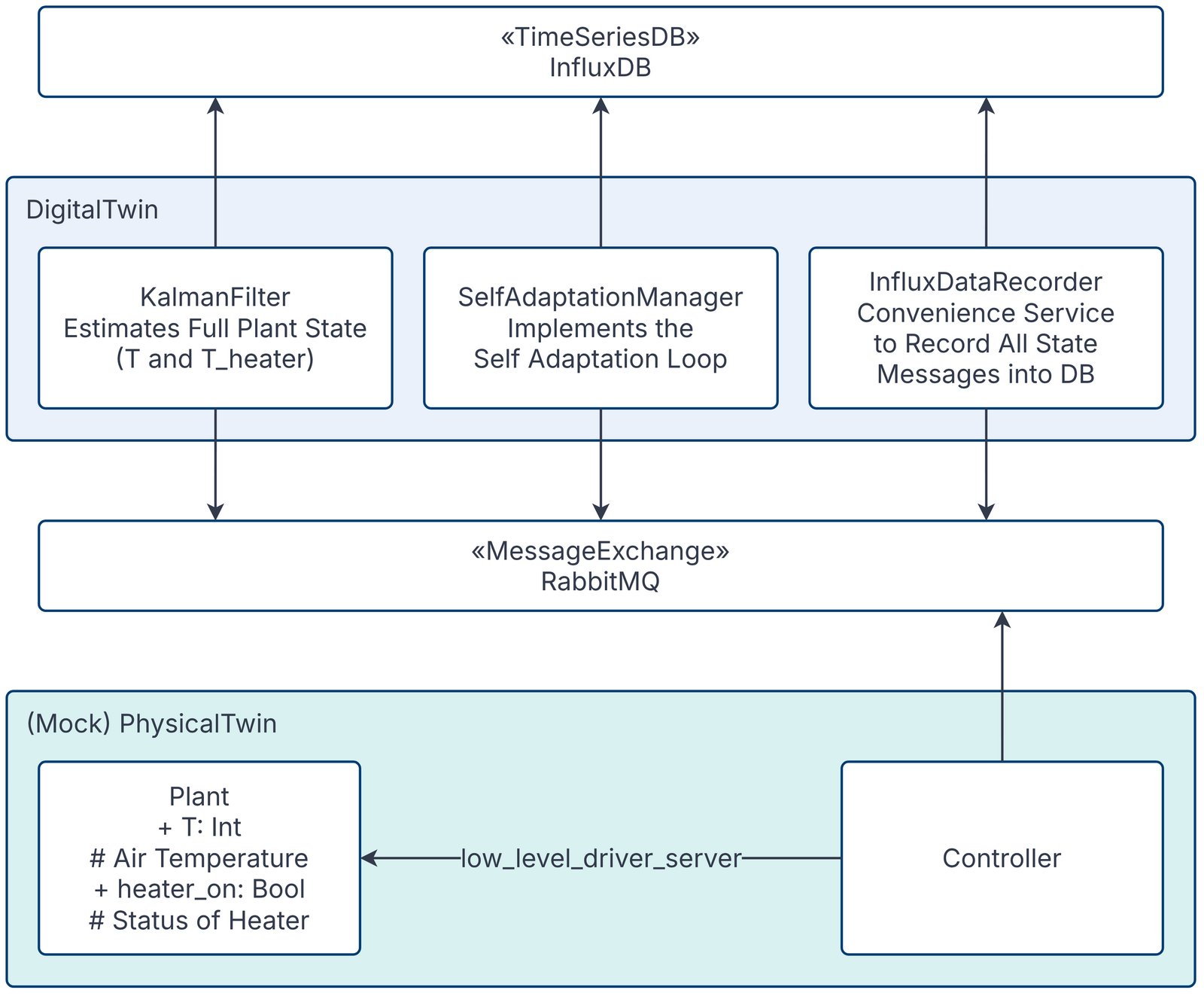
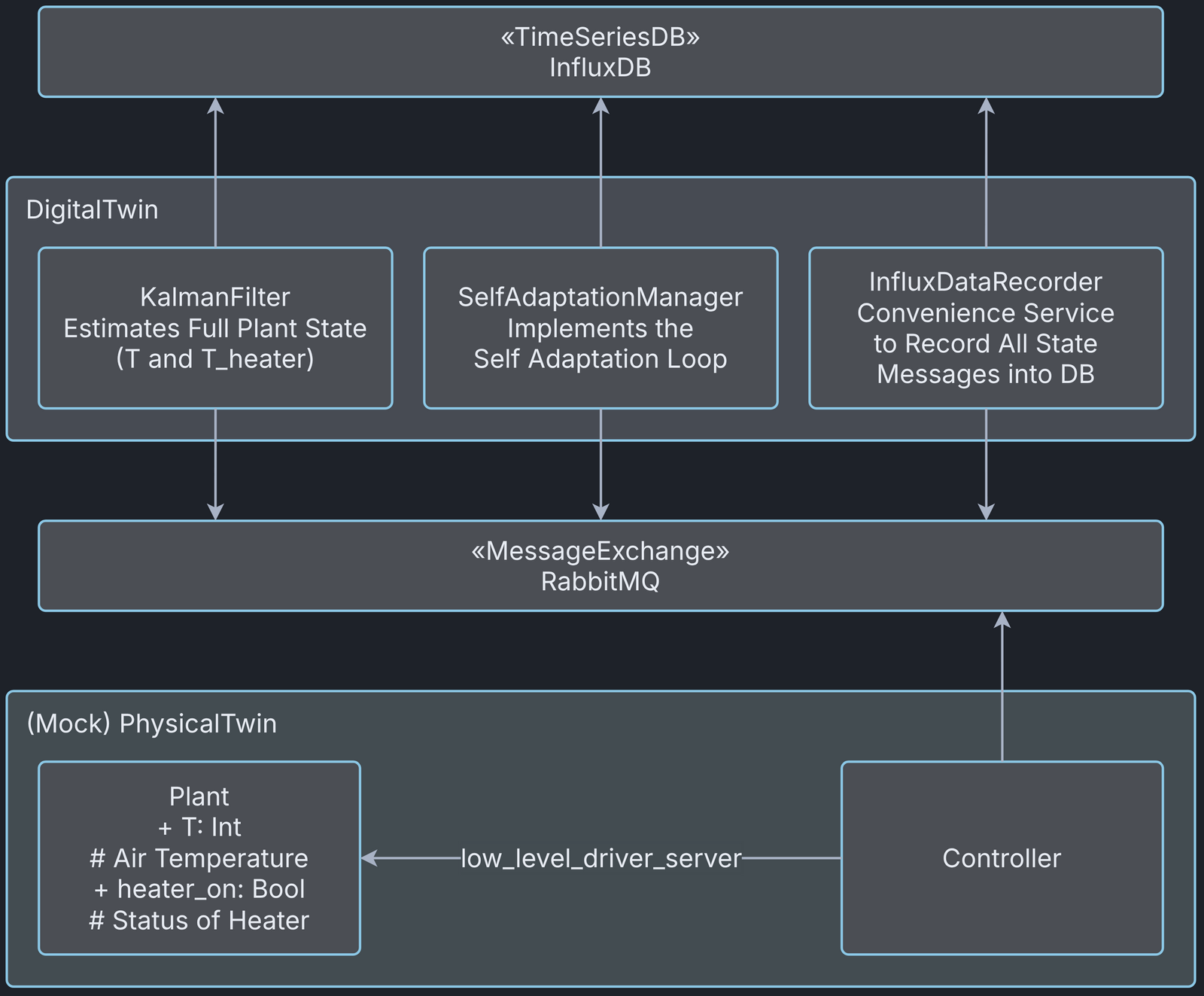
This diagram shows the main components and the interfaces they use to communicate. All components communicate through the RabbitMQ message exchange, and the data is stored in a time series database. RabbitMQ and InfluxDB are platform services hosted by the DTaaS.
The Incubator digital twin is pre-packaged. It can be used as is or integrated with other digital twins.
The mock physical twin runs from the
incubator/mock_plant/real_time_model_solver.py script.
Digital Twin Configuration
This example uses many Python scripts to run the digital twin. By default, it runs with a mock physical twin. It also needs RabbitMQ and InfluxDB instances.
There is one configuration file: simulation.conf.
The RabbitMQ and InfluxDB configuration parameters must be updated.
Lifecycle Phases
The example covers these lifecycle phases:
| Lifecycle Phase | Completed Tasks |
|---|---|
| Create | Installs missing system packages and the Python dependencies in a virtual environment |
| Execute | Executes the Incubator digital twin and produces output in the terminal and in incubator/log.log. |
| Clean | Removes the log file. |
Run the example
To run the example, change to its directory.
If required, make the lifecycle scripts executable, for example:
Now, run the following scripts:
Create
Installs any missing system packages (Python 3 and venv) and the Python dependencies in a virtual environment in common/digital_twins/incubator/.venv.
Execute
Executes the Incubator digital twin with a mock physical twin. Writes the results to the terminal, incubator/log.log and InfluxDB.
Clean
Removes the output log file.
Examining the results
Once all services have started, the controller service produces output like the following:
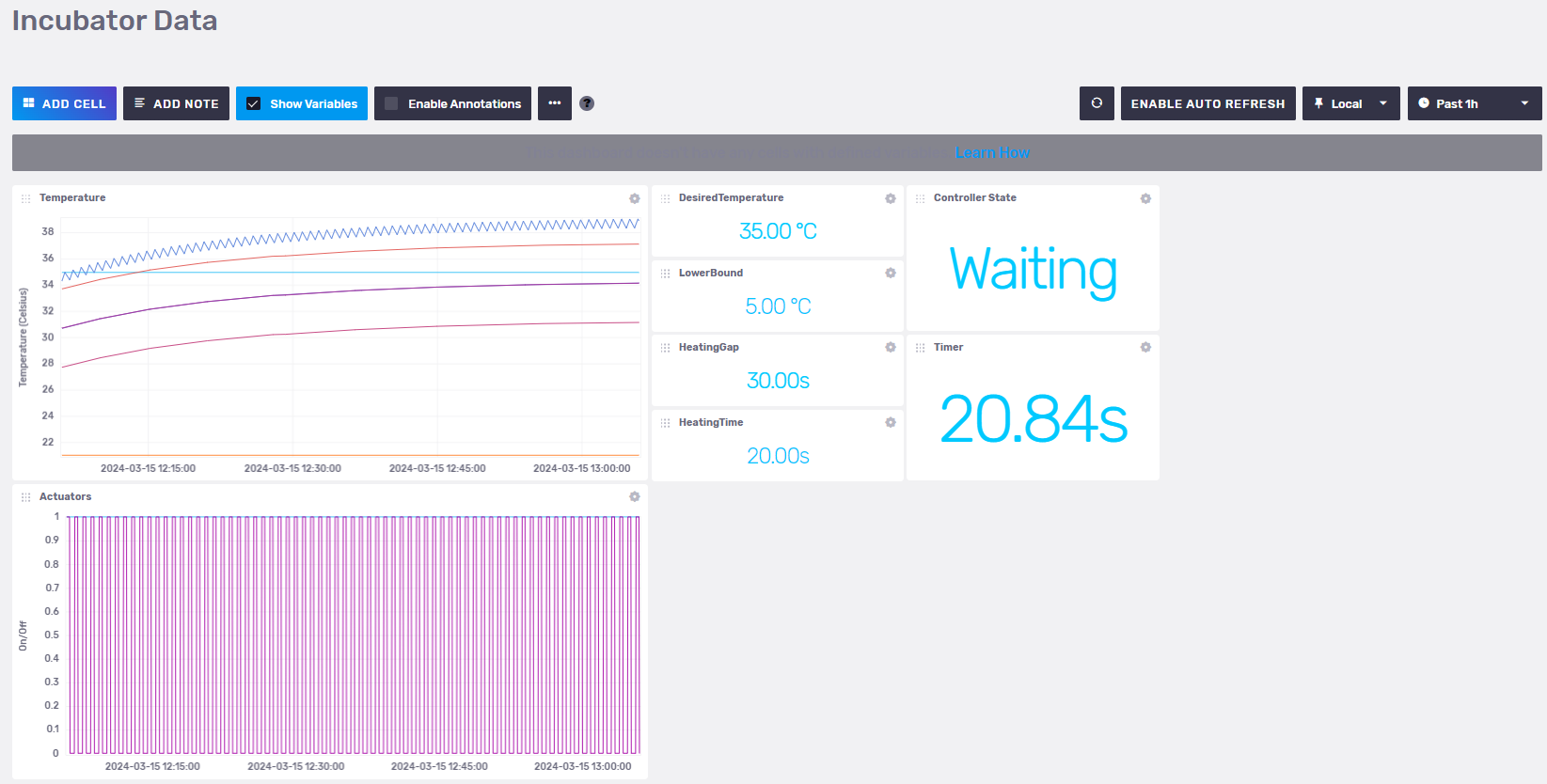
An InfluxDB dashboard can be set up from
incubator/digital_twin/data_access/influxdbserver/dashboards/incubator_data.json.
Once the dashboard is set up in InfluxDB, it shows the following
visualisation:
References
Forked from: Incubator repository with commit ID: 989ccf5909a684ad26a9c3ec16be2390667643aa
The following resources explain what a digital twin is:
- Feng, Hao, Cláudio Gomes, Casper Thule, Kenneth Lausdahl, Alexandros Iosifidis, and Peter Gorm Larsen. “Introduction to Digital Twin Engineering.” In 2021 Annual Modeling and Simulation Conference (ANNSIM), 1–12. Fairfax, VA, USA: IEEE, 2021. https://doi.org/10.23919/ANNSIM52504.2021.9552135.
- Video recording of presentation by Claudio Gomes