Water Tank Fault Injection
Overview
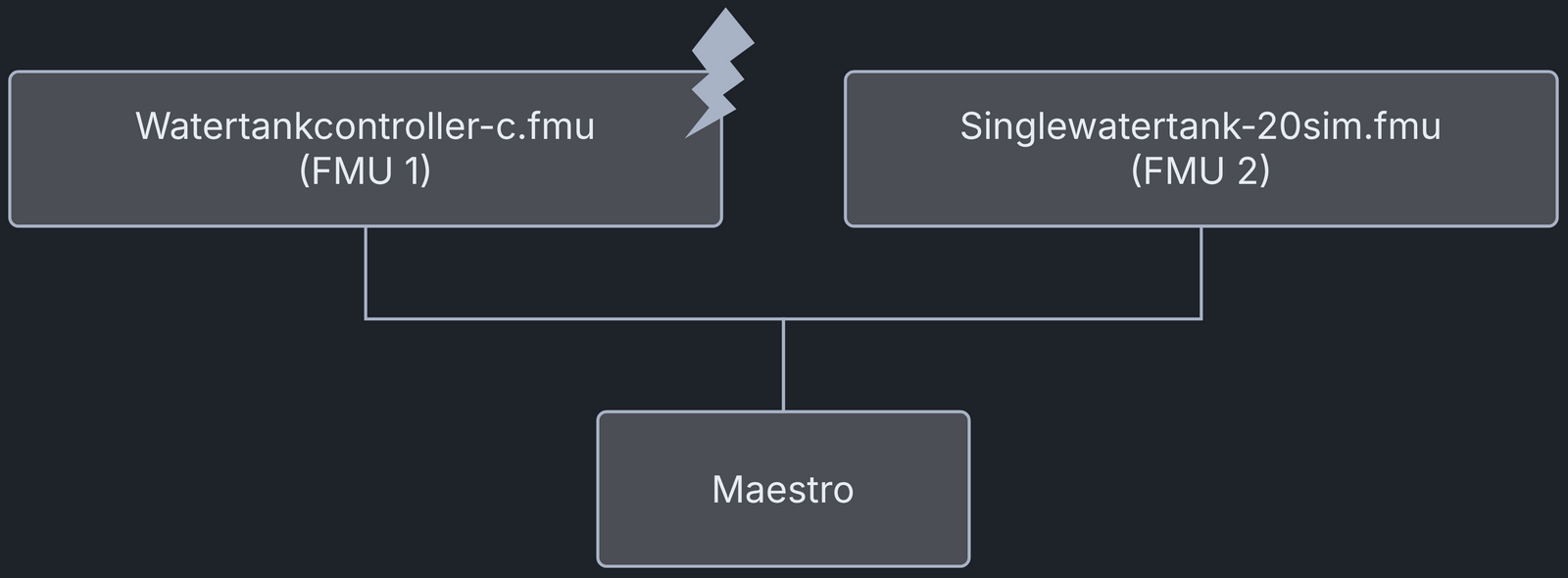
This example shows a digital twin (DT) with fault injection (FI). A live DT receives simulated faults from the environment. The faults are part of the DT configuration and can be changed for new instances of the DT.
This co-simulation based DT uses a water tank case study. The co-simulation
consists of a tank and a controller, and its goal is to keep the water level
in the tank between Level-1 and Level-2.
Faults are injected into the output of the water tank
controller (watertankcontroller-c.fmu) from 12 to 20 time units.
The faults close the tank outlet for a period of time, and the water level
rises above the desired level (Level-2).
Example Diagram

Example Structure

Digital Twin Configuration
This example uses two models and one tool:
| Asset Type | Names of Assets | Visibility | Reuse in Other Examples |
|---|---|---|---|
| Models | watertankcontroller-c.fmu | Private | Yes |
| singlewatertank-20sim.fmu | Private | Yes | |
| Tool | maestro-4.1.0-jar-with-dependencies.jar | Common | Yes |
The DT is executed with two configuration files, multimodelFI.json and
simulation-config.json. Edit them to customise the DT.
Note
The faults are defined in
/workspace/examples/data/water_tank_FI/input/wt_fault.xml.
Lifecycle Phases
| Lifecycle Phase | Completed Tasks |
|---|---|
| Create | Installs Java Development Kit for Maestro tool |
| Execute | Produces and stores output in data/water_tank_FI/output directory |
| Clean | Clears run logs and intermediate co-simulation files |
Run the example
To run the example, change to the example directory.
If required, make the lifecycle scripts executable, for example:
Then run the following scripts.
Create
Installs Open Java Development Kit 21 and the pandas and matplotlib Python
packages from the Ubuntu repositories (python3-pandas and
python3-matplotlib).
Execute
Runs the co-simulation and writes the outputs.csv file
to /workspace/examples/data/water_tank_FI/output.
Analyze phase
Processes the co-simulation output and saves a plot in
/workspace/examples/data/water_tank_FI/output/plots/.
Examine the results
The results are in the /workspace/examples/data/water_tank_FI/output directory.
The run logs are in /workspace/examples/digital_twins/water_tank_FI.
Terminate phase
Removes the temporary files.
References
More details on this case study are in the paper:
The fault injection plugin extends the Maestro co-orchestration engine. It can replace the inputs and outputs of FMUs in an FMI-based co-simulation with tampered values. More details on the plugin are in the fault injection Git repository. The same repository holds the source code for this example in its example directory.