BIM - Building Information Modeling
Overview
This example puts a building model in the DTaaS library and gives each of its
rooms a simulated temperature sensor. The building is the FZK-Haus, a
two-storey house modelled by the Karlsruhe Institute of Technology (KIT) as an
IFC example. Its model has 7 rooms (IfcSpace) and no sensors, so the example
proposes one temperature sensor per room. Rooms are not drawn in the 3D view,
so each sensor is bound by its IFC GlobalId to a wall or column inside the
room, the one nearest to the room's centre that no other room has taken. When a
room has none left, the sensor goes on another drawn object in it, such as a
door.
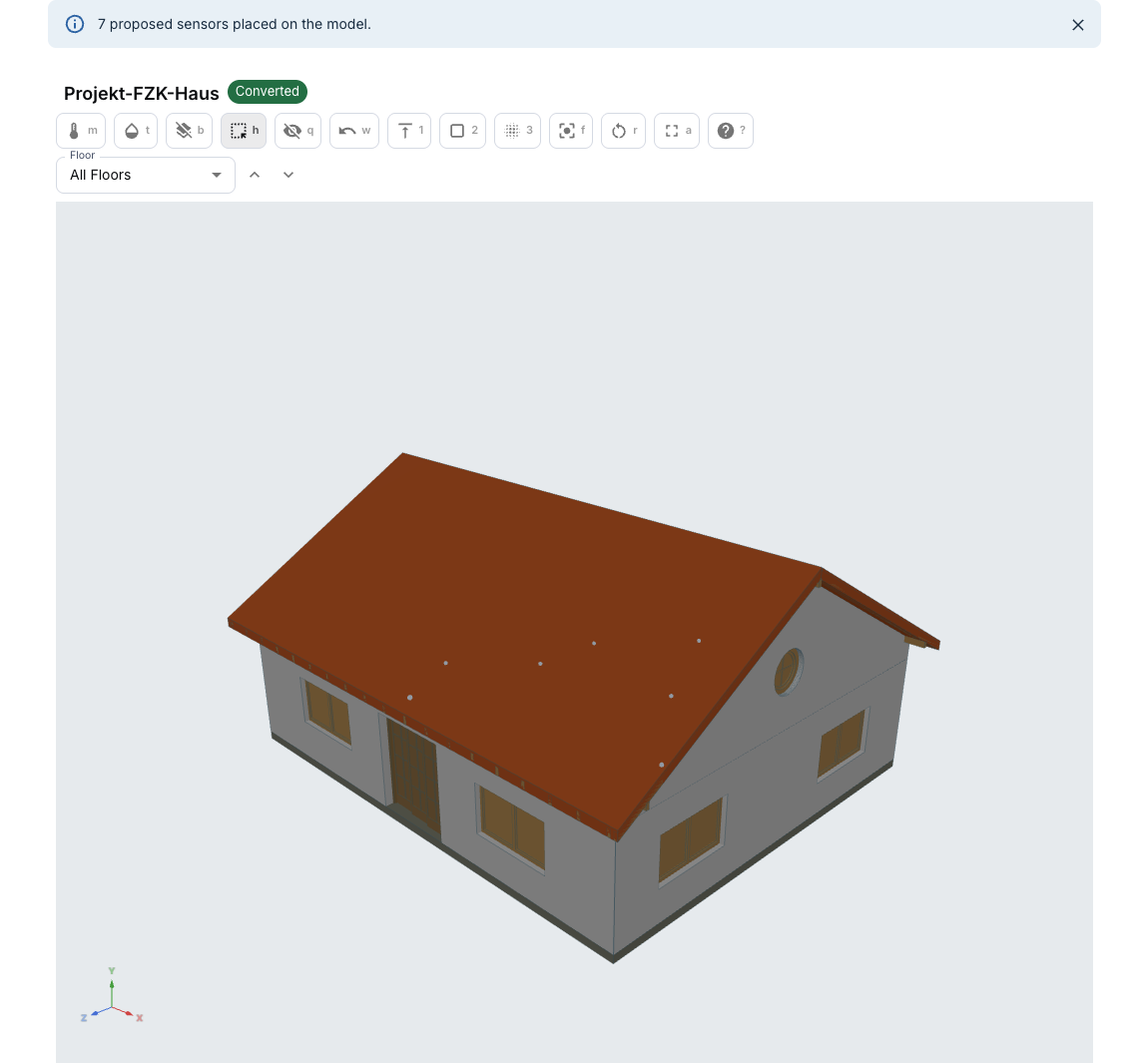
The Buildings page of the DTaaS client draws the model from the library. The binding manifest written by this example tells the page which reading belongs to which room. A publisher sends a simulated temperature for every room over MQTT, on the topics the manifest lists.
The model is AC20-FZK-Haus.ifc from the
KIT IFC examples,
which KIT provides for unrestricted use. Its content is unchanged, and only
its line endings are stored as LF. As KIT asks, publications that use it credit
the Institute for Automation and Applied Informatics (IAI) / Karlsruhe
Institute of Technology (KIT).
Example Structure
| File | What it does |
|---|---|
models/fzk_haus.ifc |
The building model, IFC4 |
lifecycle/make_manifest.py |
Proposes one sensor per room, places it on a wall of the room and writes the binding manifest |
lifecycle/publish_readings.py |
Publishes a simulated temperature per room over MQTT |
lifecycle/show_readings.py |
Prints the first readings that reach the broker |
lifecycle/requirements.txt |
The IFC converters from ifc-utils and the MQTT client |
lifecycle/constraints.txt |
The versions of the packages those tools pull in, each at least ten days old when pinned |
The create phase writes four files into /workspace/common/models, the folder
the Buildings page reads:
| File | Contents |
|---|---|
fzk_haus.ifc |
A copy of the building model |
fzk_haus.glb |
The geometry, so the page does not convert the model in the browser |
fzk_haus.json |
The property tree shown when you click an object |
fzk_haus.manifest.json |
One binding per room, from room to MQTT topic |
Digital Twin Configuration
| Asset Type | Names of Assets | Visibility | Reuse in Other Examples |
|---|---|---|---|
| Model | fzk_haus.ifc | Common | Yes |
| Tools | ifc-explorer, ifc-converter | Installed by create | Yes |
The publisher reads the broker from these environment variables:
| Variable | Default | Meaning |
|---|---|---|
MQTT_HOST |
localhost |
Host name of the MQTT broker |
MQTT_PORT |
1883 |
MQTT port of the broker |
MQTT_USERNAME |
not set | User name, when the broker asks for one |
MQTT_PASSWORD |
not set | Password, when the broker asks for one |
MQTT_TLS |
not set | Set to 1 to connect over TLS, for example on port 8883 |
Without MQTT_TLS, the user name and password travel unencrypted, so set it
whenever the broker is not on the same machine.
The lifecycle scripts work from any directory, as the other examples do. Two more variables change where they read and write:
| Variable | Default | Meaning |
|---|---|---|
EXAMPLES_PATH |
the repository root | Where models/fzk_haus.ifc is read from |
WORKSPACE |
the folder above EXAMPLES_PATH, /workspace inside the workspace |
The library whose common/models receives the model |
Lifecycle Phases
| Lifecycle Phase | Completed Tasks |
|---|---|
| Create | Installs the tools, places the model and writes the derived files |
| Execute | Starts the publisher in the background |
| Terminate | Stops the publisher and clears its log |
| Clean | Clears the publisher log and PID file |
Run the Example
Change to the example directory:
If required, give the lifecycle scripts execute permission:
Create
Installs ifc-explorer, ifc-converter and paho-mqtt into a virtual environment
in .venv. Then copies the model into /workspace/common/models and writes the
geometry, the property tree and the binding manifest beside it. This takes
about a minute, most of it for the installation.
Open Buildings in the DTaaS menu and choose Projekt-FZK-Haus, the name the model gives its project, to see it.
Execute
Starts publishing a temperature for each room every two seconds. Point it at the MQTT broker of your installation first, for example the one installed with the DTaaS platform services:
Each reading goes to dtaas/examples/fzk-haus/room-NN/temperature as one
line of comma-separated fields:
The type field says simulation, so a subscriber can tell these values apart
from measured ones. The log is in publisher.log.
To see the readings arrive through the broker, print the first round of them:
It prints one line per room, such as 1, Flur temperature: 22.10 °C at
12:02:14, and stops with an error when no reading arrives within 10 seconds.
Terminate
Stops the publisher and removes its log:
Current Limits
The Buildings page draws the model and resolves the manifest, but the DTaaS client does not subscribe to MQTT yet. Until it does, the readings reach any other MQTT subscriber, such as a dashboard, and not the page. The demo video shows this: the readings reach the terminal through the broker, and the page draws the model and its sensors, whose cards wait for a first reading.
References
The converters come from the ifc-utils repository. The manifest format and the Buildings page are described in DTaaS issue 1762.