Mass Spring Damper
Overview
The mass spring damper digital twin (DT) has two mass spring dampers and shows how a co-simulation based DT can be used within DTaaS.
Example Diagram
Example Structure
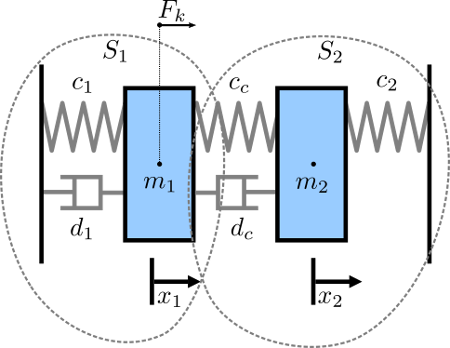
The study includes two simulators, each representing a mass spring damper system. The first simulator calculates the mass displacement and speed of \(m_1\) for a given force \(F_k\) acting on mass \(m_1\). The second simulator calculates force \(F_k\) given a displacement and speed of mass \(m_1\). By coupling these simulators, the evolution of the position of the two masses is computed.

Digital Twin Configuration
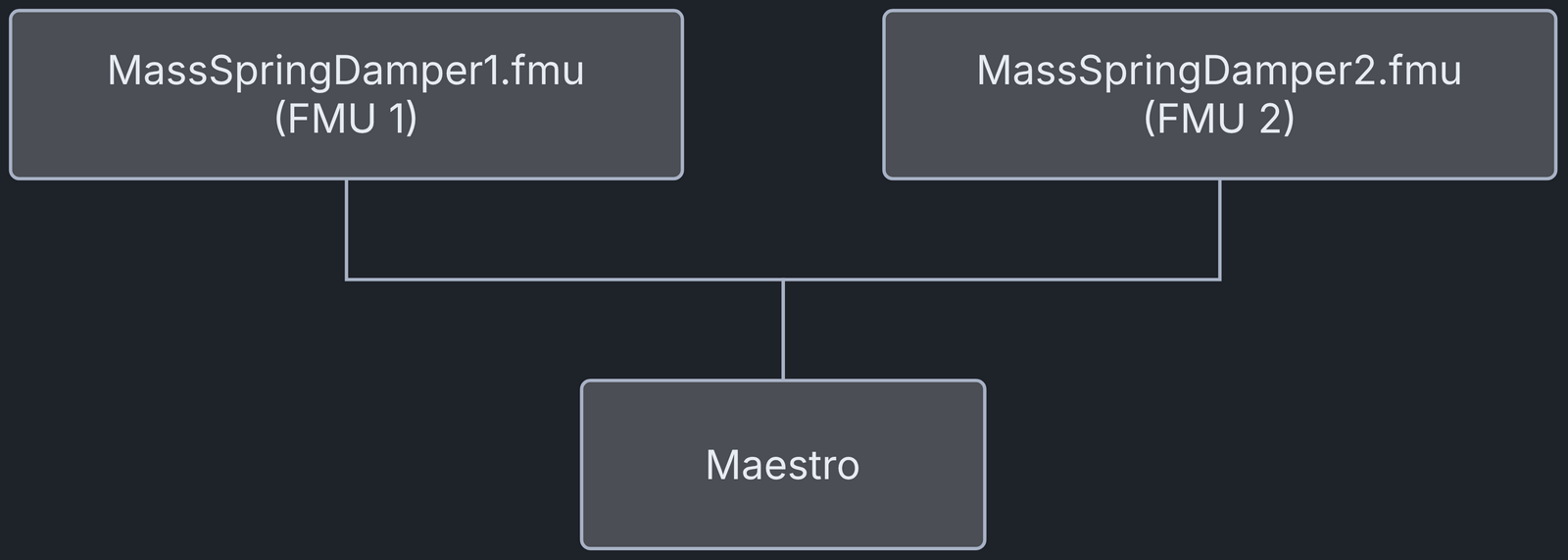
This example uses two models and one tool:
| Asset Type | Names of Assets | Visibility | Reuse in Other Examples |
|---|---|---|---|
| Models | MassSpringDamper1.fmu | Private | Yes |
| MassSpringDamper2.fmu | Private | Yes | |
| Tool | maestro-2.3.0-jar-with-dependencies.jar | Common | Yes |
The cosim.json and time.json files configure the execution of
the digital twin. Edit them to customise the DT.
Lifecycle Phases
| Lifecycle Phase | Completed Tasks |
|---|---|
| Create | Installs the Java runtime for the Maestro tool |
| Execute | Produces and stores output in data/mass-spring-damper/output directory |
| Clean | Clears run logs and outputs |
DevOps Automation
This example uses the DevOps features of the DTaaS platform, which the DTaaS provides through GitLab DevOps pipelines.
The .gitlab-ci.yml file sets the order in which the lifecycle scripts
of the example run. Its configuration format lets you split a program
into stages. This first example runs the create and execute scripts
in a single stage named build_and_run.
GitLab saves the co-simulation outputs as job artefacts. You can find
them at
https://<gitlab-host>/<group>/<username>/-/artifacts.
Replace <gitlab-host>, <group>, and <username> with the values for
your GitLab instance and project.
Run the example
To run the example, go to the following directory.
If required, make the lifecycle scripts executable, for example:
Now, run the following scripts:
Create
Installs the OpenJDK 17 Java runtime in the workspace.
Execute
Runs the digital twin. Because this is a co-simulation based digital twin, the Maestro co-simulation tool runs a co-simulation of the two FMU models.
Examine the results
The results are in the /workspace/examples/data/mass-spring-damper/output directory.
The run logs are in the /workspace/examples/digital_twins/mass-spring-damper directory.
Terminate phase
Removes the debug files and co-simulation output files.
References
More information about co-simulation techniques and the mass spring damper case study is available in:
The source code for the models used in this DT is available in the mass spring damper GitHub repository.